Blog
How to Buy a Coursera Subscription in Bangladesh Using bKash or Nagad

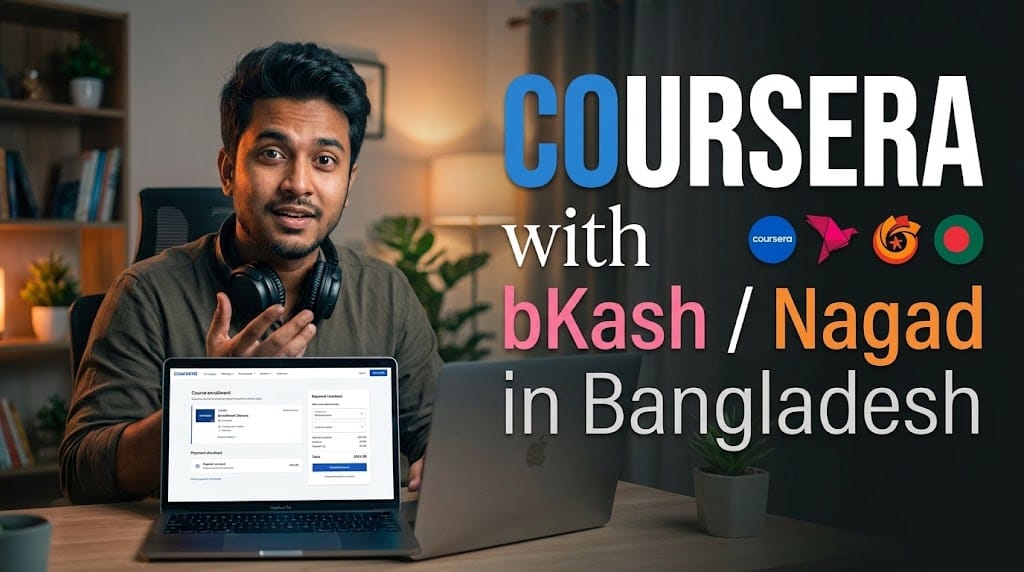
You can buy Coursera Plus in Bangladesh from BD Subscription, with prices starting at ৳850 and local payment through bKash, Nagad or Rocket. Choose your package, confirm that your intended courses are included, complete payment and follow the account-delivery or activation instructions.
This purchasing route lets you pay in Bangladeshi Taka without arranging an international card yourself. You are paying BD Subscription as the reseller; the learning platform and course access remain controlled by Coursera.
Before ordering, confirm whether you will receive a ready-made account or an upgrade to your existing account. That distinction matters if you already have saved courses, certificates or unfinished lessons.
What subscription are you buying?
The product discussed here is Coursera Plus, a subscription covering eligible courses, projects, Specializations and Professional Certificate programs.
It does not unlock everything on Coursera. Some courses and programs are excluded, and degrees and MasterTrack programs are not included. Coursera recommends looking for the Coursera Plus badge to confirm whether a particular offering is covered. Unlimited Access to 10,000+ Online Courses
Check your intended course first
Before paying:
- Open the exact course or certificate program on Coursera.
- Look for its Coursera Plus inclusion information.
- Read the prerequisites and course outline.
- Check whether you have the required software, device and study time.
- Save the course link so you can test access after activation.
A subscription offers better practical value when you already know what you want to study.
Coursera Plus price in Bangladesh
BD Subscription’s selectable product options list:
- 1 month: ৳850
- 3 months: ৳2,400
- 6 months: ৳4,800
- 1 year: ৳9,500
These are the reseller’s package prices. Select your preferred duration on the Coursera Plus subscription page to confirm the amount payable and package conditions before checkout.
Choose a duration based on your learning schedule. A longer subscription gives you more time, but it is useful only if you continue studying.
How to buy with bKash or Nagad
Step 1: Choose your Coursera Plus package
Open the product page and select your preferred validity.
Check the total price, delivery information and account arrangement. If you have an existing Coursera account, confirm whether it can be upgraded before paying.
Step 2: Confirm your course is included
Send the exact course or program link to support if you need help understanding the package. Also check the course’s own Coursera Plus inclusion information.
Do not assume that every Google, IBM, Meta or university program is covered simply because it appears on Coursera.
Step 3: Enter your order details
Proceed to checkout and provide the requested contact information.
Use an email address you can access. If you want to keep learning on an existing Coursera account, make that requirement clear before the order is processed.
Step 4: Select bKash or Nagad
BD Subscription lists bKash, Nagad and Rocket as supported local payment methods. Choose an available option and follow the checkout instructions. Bkash Payment
Pay only through the payment details shown during the confirmed order process. Enter any wallet PIN or verification code only in the authorised payment flow.
Step 5: Keep your payment confirmation
Save your order number and payment reference. These help support locate the purchase if confirmation or delivery takes longer than expected.
Avoid making another payment immediately if the transaction succeeds but the order status has not updated. Ask support to check the original payment first.
Step 6: Follow the delivery or activation instructions
The product listing describes ready-made account delivery and says activation on your own account may be attempted where possible. Follow the arrangement confirmed for your order.
The page gives a delivery estimate of 1–12 office hours. This is an estimate rather than a guarantee of immediate activation. Bkash Payment
Will you use your existing Coursera account?
Do not assume that every order upgrades your existing account. BD Subscription’s product summary mentions both:
- A ready-made Coursera Plus account supplied after purchase.
- An attempt to activate or upgrade your own account where possible.
If you already have progress or certificates, confirm the account arrangement first. A separate account does not automatically contain the learning history from your previous one.
The listing also notes that longer packages may require account access again if a subscription payment or renewal fails. Ask how this process works before choosing a longer duration. Bkash Payment
What to check after activation
Before starting a long course, complete a short access check:
- Correct account: Confirm that you are signed in to the account agreed for the order.
- Subscription status: Check the membership information available in the account.
- Intended course: Open the course you checked before purchase.
- Learning access: Confirm that the included lessons and relevant assessments are accessible.
- Profile details: Make sure your learner name is correct before earning credentials.
- Support information: Keep your order confirmation and the applicable package terms.
If a course still asks for a separate payment, first check whether it is included in Coursera Plus and whether you are using the correct account.
If you already pay Coursera directly
Coursera says existing Specialization subscriptions do not automatically cancel when you subscribe to Coursera Plus. Review any existing subscriptions to avoid paying for overlapping access. Unlimited Access to 10,000+ Online Courses
How to choose a suitable subscription duration
For your first course
A shorter package can be a practical starting point if you are still testing your study routine. Read the syllabus and estimate how much time you can realistically spend each week.
For a longer certificate program
Choose enough time for assignments, revision and practical work—not just watching lessons. Your available hours matter more than an advertised completion estimate.
For ongoing professional development
A longer package may suit someone who already studies consistently and has several eligible courses planned.
If you mainly want SQL or data-skills practice, compare the learning format of DataCamp subscriptions before choosing. For other study needs, browse the educational tools collection.
You do not need several paid tools to begin. Start with the one that fits your chosen learning goal.
Important Notes Before Buying
- Check course inclusion: Coursera Plus covers eligible content, not the entire platform.
- Confirm the account arrangement: Existing-account activation is not guaranteed by the product summary.
- Certificates require completion: Purchasing access does not automatically award a course or program certificate.
- Review support conditions: The product page describes troubleshooting, replacement where applicable and an unused-period refund if an eligible issue cannot be resolved or replaced, subject to its terms. Read the replacement and refund policy before ordering. Bkash Payment
- Course access can change: Coursera controls content, eligibility, assessments and platform policies. Seller prices and package availability may also change.
- Use the account according to the applicable rules: Clarify any access restrictions before purchase.
- Independent reseller: BD Subscription handles the listed purchase and delivery service; this does not establish an official partnership with Coursera.
Start with a course and a clear plan
Buying Coursera Plus in Bangladesh with bKash or Nagad is straightforward once you confirm the course and account details. Choose your duration, complete local payment and verify access after delivery.
With packages starting at ৳850, BD Subscription’s Coursera Plus options provide a local purchasing route for learners who prefer BDT payment. Select the package that fits your study schedule and the account arrangement you need.
10. FAQ section
Can I buy a Coursera subscription with bKash in Bangladesh?
Yes. BD Subscription lists bKash for Coursera Plus purchases. Choose your package and follow the available checkout instructions.
Can I pay for Coursera Plus using Nagad?
Yes. BD Subscription lists Nagad alongside bKash and Rocket as local payment options. Confirm availability during checkout.
What is the Coursera Plus price at BD Subscription?
The selectable options are ৳850 for one month, ৳2,400 for three months, ৳4,800 for six months and ৳9,500 for one year. Confirm your selected package before paying.
Do I need an international card?
You do not need your own international card when paying BD Subscription through an available local method such as bKash or Nagad.
Will Coursera Plus be activated on my existing account?
Confirm this before purchasing. The listing describes ready-made account delivery and says an upgrade to your existing account may be attempted where possible.
Does Coursera Plus include every course?
No. Some courses and programs are excluded, and degrees and MasterTrack programs are not included. Look for the Coursera Plus badge on the offering you want.
How long does delivery take?
BD Subscription’s product page gives an estimate of 1–12 office hours. Delivery depends on order processing and the selected account arrangement.
Will I receive a certificate immediately after buying?
No. You must complete the required work for an eligible course or program. A subscription provides access; it does not automatically award certificates.

Categories
Recent Comments
- Duolingo Super Price Bangladesh 2026: Which Plan Is Best? on How to Buy Duolingo Super in Bangladesh for English Learning
- How to Buy Save My Exams in Bangladesh | Study Guide on Save My Exams Review 2026: Features, Price & Is It Worth It?
- Stop Spam Calls in Bangladesh with Truecaller on How to Buy Truecaller Premium Subscription in Bangladesh
Explore Top Subscription

Beautiful AI Pro in Bangladesh


Claude Ai Price in Bangladesh