
Blog
How to Buy Google Drive Storage in Bangladesh: 1TB and 5TB Plan Guide
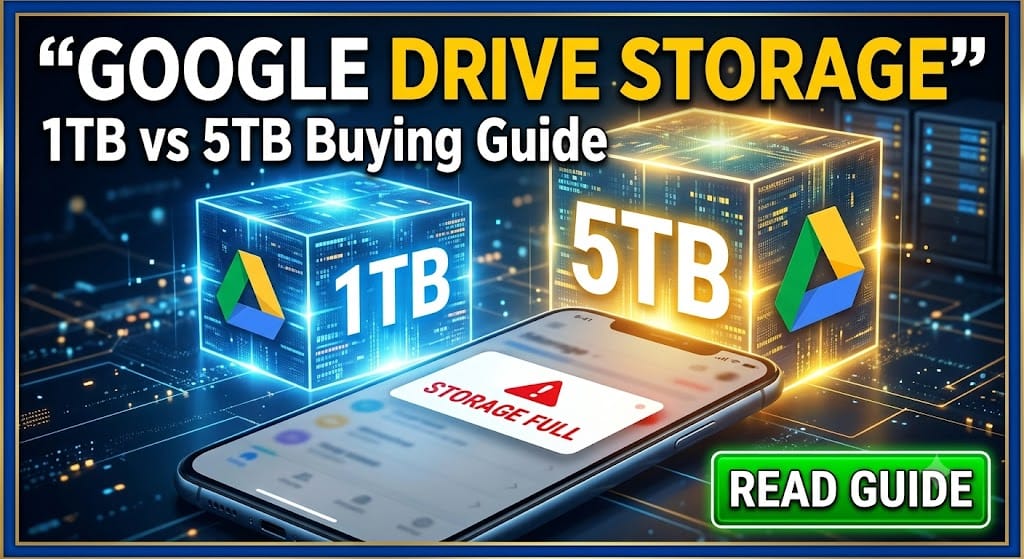
Need more room in Gmail, Google Photos or Google Drive? BD Subscription lists two storage options you can buy in Bangladesh using local payment methods: 1TB for 12 months through a Google family invitation and 5TB for 18 months through a promotional activation. Both are intended for eligible personal Google accounts, but their activation methods, account-access requirements and warranty terms differ substantially.
The most important choice is straightforward: the 1TB option does not require your Gmail password, while the 5TB option requires temporary access to your Google account and has no warranty after successful activation. Check those terms before choosing by capacity alone.
Table of contents
- What does Google storage cover?
- 1TB vs 5TB: Which plan fits?
- How to buy and activate each plan
- Checks to make before paying
- What happens when storage access ends?
- Important notes before buying
- Which plan should you choose?
What does Google storage cover?
In general, your Google Account comes with 15GB of free storage that is shared among Gmail, Google Drive and Google Photos. Files, email & supported photo backups contribute to one storage allowance. When that space is full, an eligible storage upgrade can give those services some breathing room. Google also says that sometimes you can get extra storage as part of a promotion, not a regular membership. You can read how Google stores your account here.
Although people commonly say “Google Drive storage,” these packages concern Google Account storage, which is relevant to Gmail and Google Photos too. They do not automatically provide a business Google Workspace account or premium Gemini features.
Before spending money, check your current usage in Google One’s storage manager. If old videos, large attachments or unwanted backups account for most of it, a cleanup may solve the problem without a larger plan.
1TB vs 5TB: Which plan fits?
The BD Subscription Google storage listing currently presents the following choices:
| Detail | 1TB option | 5TB option |
|---|---|---|
| Listed validity | 12 months | 18 months |
| Activation method | Google family invitation | Promotional activation on an eligible personal account |
| Gmail password needed for activation? | No | Temporary account access required |
| Warranty stated by BD Subscription | Full-period support for eligible subscription issues, subject to conditions | No warranty, replacement or refund after successful activation |
| Consider it if | You need more space and prefer invitation-based activation | You need substantially more space and accept the activation and warranty terms |
One detail matters for the 1TB option: Google says family members use a shared storage pool, rather than each receiving an exclusive copy of the plan’s capacity. Before ordering, ask BD Subscription how much usable space you should expect from the family invitation. Other members cannot open your personal files merely because you share family storage. Google’s family-sharing guidance explains both points.
The product page displayed a ৳1,990–৳2,250 price range when checked in September 2026. It did not clearly assign each displayed price to a specific plan until a selection is made, so choose 1TB or 5TB on the product page and verify the resulting checkout price. These are BD Subscription’s reseller prices, not Google’s direct prices.
How to buy and activate each plan
Buying the 1TB family-invitation option
- Open the Google storage product page and select 1TB – 12 Months.
- Check the selected price and complete checkout using an available local payment method. BD Subscription lists bKash, Nagad and Rocket among its options.
- Provide the personal Google email address that should receive the invitation.
- Open the invitation on that account and follow Google’s steps to join the family group.
- Check your available storage in Google One after activation.
BD Subscription says no Gmail password is required for this option. Its listing gives a delivery estimate of 1–12 office hours, so check your inbox and spam folder for instructions.
Buying the 5TB promotional option
- On the same product page, select 5TB – 18 Months and review the selected price.
- Read the account-access and warranty conditions before paying.
- Complete checkout and follow BD Subscription’s activation instructions. Its listing says temporary access to your personal Google account is required.
- After activation, verify the storage shown in your Google account.
- Follow the supplied security instructions and review your password, recovery settings and signed-in devices once activation is complete.
BD Subscription describes this as a Google promotional storage package. Its stated 18-month validity should not be treated as a guarantee that Google will keep a promotion unchanged; the seller explicitly says Google may modify or end it.
Checks to make before paying
For the 1TB family invitation
Google requires family-group members to use eligible accounts, live in the same country as the family manager, and meet restrictions on joining or switching family groups. Work, school and other organisation-managed accounts cannot join this type of family group. Check Google’s current eligibility rules if you are already in a group or have recently left one.
You can ask BD Subscription to check eligibility before paying, especially if your account has an existing Google One plan. Google says an account may use both its individual membership and family storage, but the arrangements are distinct.
For the 5TB promotion
Be comfortable with the temporary account-access process before placing the order. Confirm how access will be provided and what security steps you should take afterward. If you cannot allow anyone temporary access to the account that holds your email and files, this package is unlikely to be a suitable choice.
Also confirm what the selected plan displays after activation. The 5TB storage listing is a storage offer; do not assume it includes Gemini AI features. If AI tools are your main reason for buying, compare BD Subscription’s separate Gemini and Google AI subscription listing and check the exact benefits of the selected option.
What happens when storage access ends?
Plan ahead if your files and backups grow beyond your normal storage allowance. Google says that when a storage plan expires, or family storage is no longer shared with you, existing files are not immediately deleted simply because you are over the limit. Being over quota can, however, stop new Drive uploads and Photos backups and affect Gmail. Google also describes a longer-term risk if an account stays over quota for two years or more. See Google’s storage guidance for the current effects.
Before your selected period ends, check your usage and arrange a suitable renewal, another eligible plan or a reduction in stored data. Do not assume either reseller package renews automatically.
Important notes before buying
- Eligibility and capacity: The 1TB option uses shared family storage. Ask how much capacity is available to you; confirm your account meets Google’s family-group rules.
- Account security: The 1TB option needs no Gmail password. The 5TB option requires temporary access to your personal account.
- Different warranty terms: BD Subscription states full-period support for eligible 1TB subscription issues, subject to its conditions. It states no warranty, replacement or refund for the 5TB promotion after successful activation. Read the current refund and replacement policy alongside the selected product terms.
- Provider-controlled changes: Google controls account eligibility, storage rules and promotions. Features, availability and policies can change.
- Seller relationship: BD Subscription describes itself as an independent reseller, not Google. Its package price and support terms are separate from Google’s direct offers.
You can browse BD Subscription’s Google product collection if you need to compare storage with its other Google-related listings.
Which plan should you choose?
Choose the 1TB family-invitation option if its shared-capacity arrangement meets your needs and you want activation without providing your Gmail password. Consider the 5TB promotional option only if you need the larger capacity and accept both temporary account access and the lack of warranty after successful activation.
Check your current usage, verify account eligibility, and then select the plan on BD Subscription’s Google Drive storage page to see its current price and ordering terms.
10. FAQ section
Can I buy Google Drive storage in Bangladesh with bKash?
Yes. BD Subscription lists bKash, Nagad and Rocket as payment options for its storage packages. Check the methods available at checkout.
Does the extra storage also work for Gmail and Google Photos?
Yes. Eligible Google Account storage is used across Google Drive, Gmail and Google Photos under Google’s storage rules.
Is the 1TB family plan a private 1TB allowance just for me?
Do not assume so. Google family storage is shared among members. Ask BD Subscription how much usable storage you should expect from its invitation-based package.
Do I need to give my Gmail password for the 1TB option?
No. BD Subscription says the 1TB, 12-month option is activated by family invitation and does not require your Gmail password.
Can I use a work or school Google account for the 1TB invitation?
Generally, no. Google says work, school and other organisation-managed accounts cannot join a Google family group. Use an eligible personal Google account.
Does the 5TB promotional package have a warranty?
BD Subscription says there is no warranty, replacement or refund after successful activation of its 5TB promotional package. Read the current product terms before ordering.
Will my files disappear as soon as a storage plan ends?
Google says your files are not immediately removed solely because you lose extra storage. If you are over quota, new uploads and backups can stop and Gmail can be affected. Arrange enough storage before your access ends.
About Bd Subscription
View all posts by Bd SubscriptionCategories
Recent Comments
- Stop Spam Calls in Bangladesh with Truecaller on How to Buy Truecaller Premium Subscription in Bangladesh
- Make Facebook Reels & YouTube Shorts with CapCut Pro on How to Buy CapCut Pro Subscription in Bangladesh with bKash Payment
- Prime Video in Bangladesh: What to Watch & Is It Worth It? on How to Choose the Right Streaming Platform in Bangladesh for Your Entertainment Needs
Explore Top Subscription

Beautiful AI Pro in Bangladesh


Claude Ai Price in Bangladesh


Descript Subscription in Bangladesh

Dzine Premium Subscription in Bangladesh
